
VPN SmartRoute: Connect Through Two Locations for Greater Privacy
VPN SmartRoute routes your traffic through two VPN locations to add another layer of privacy and flexible routing.
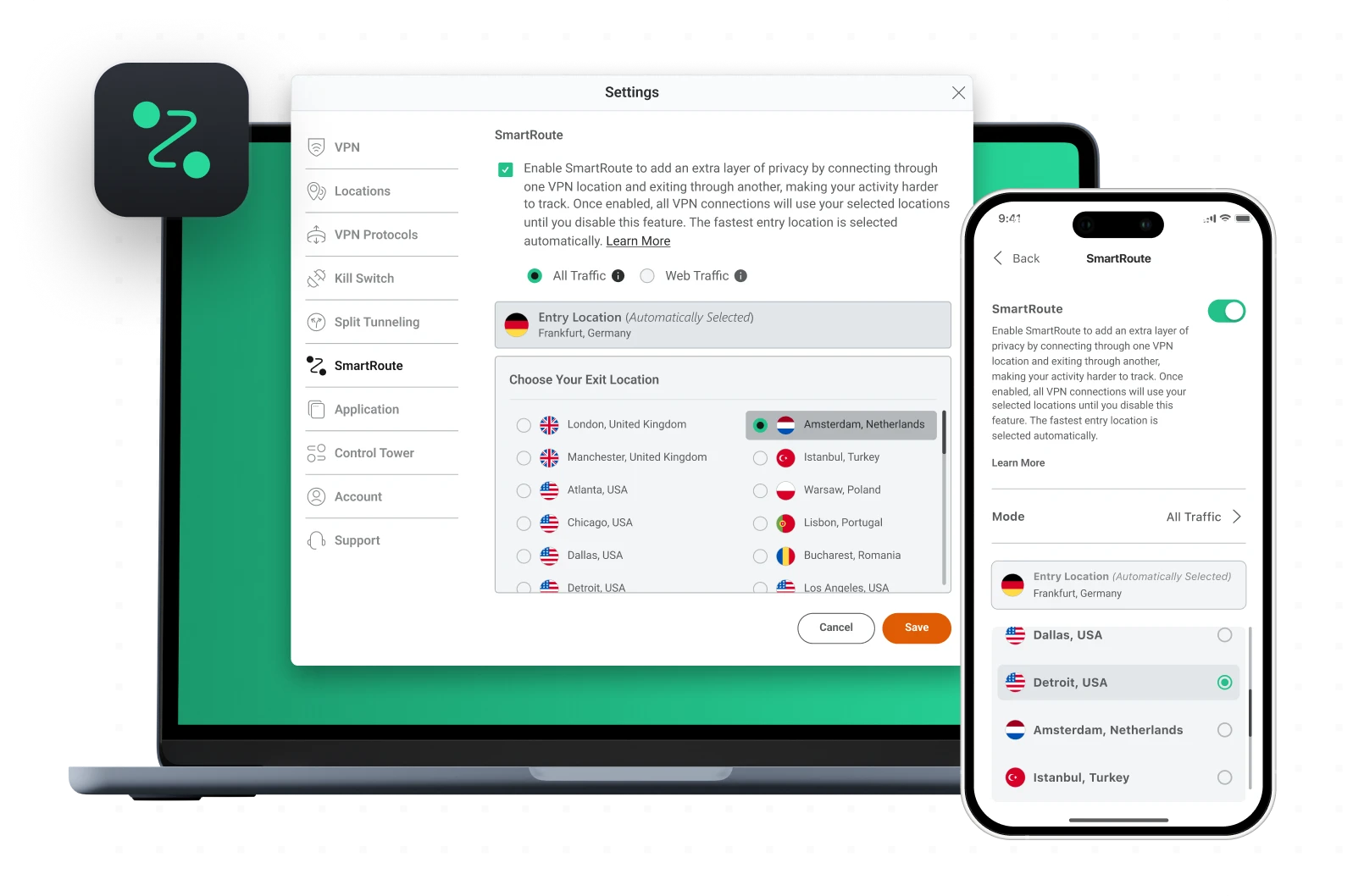





What Is VPN SmartRoute?
VPN SmartRoute is a multi-hop VPN routing feature that sends your encrypted traffic through two VPN locations instead of one. Instead of connecting to a single VPN server, SmartRoute creates a two-stage path that separates the entry and exit points of your connection. The first server acts as the entry point, while the second server acts as the exit point that websites detect. This two-stage routing adds an additional layer of privacy by separating where your connection begins from where it appears on the Internet.
The first location acts as the entry point, encrypting and forwarding your traffic. The second location acts as the exit point, where your traffic appears to originate from on the Internet.
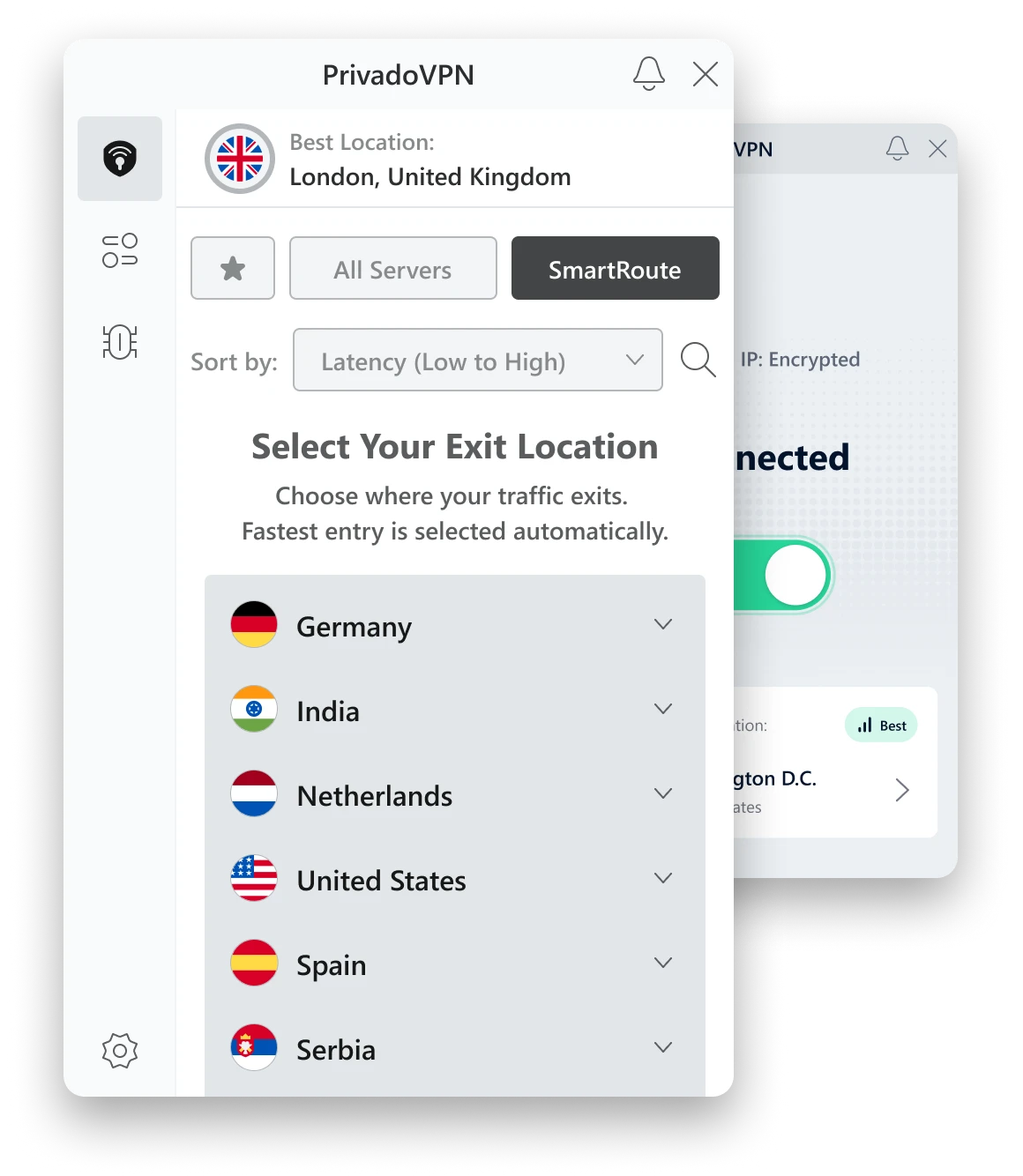
How SmartRoute Works
SmartRoute uses a two-stage VPN connection:
Entry Server (Automatic Selection)
PrivadoVPN selects the fastest entry location automatically.
Encrypted Relay
Traffic moves from the entry server to the exit server while staying encrypted.
Exit Server (Your Selection)
Your selected exit location determines the visible region and IP address.
Internet Access
Websites and services detect the exit server location.
Benefits of SmartRoute
SmartRoute adds flexibility and privacy compared with a single-location VPN connection.
Increased Privacy
Routing through two VPN locations makes activity harder to correlate to a single source.
Flexible Routing
Traffic can enter through the fastest location while exiting through the region you choose.
Reduced Correlation Risk
Separating entry and exit locations adds distance between your device and the visible Internet address.
Stable Performance
The fastest entry location is selected automatically to keep performance strong.
SmartRoute vs Double VPN vs Multi-Hop VPN
People use different terms for routing through multiple VPN servers. Here is how VPN SmartRoute compares.
VPN SmartRoute
- Two-stage path with an automatically selected entry location
- Manually selected exit location
- Designed for simple setup with flexible exit routing
Double VPN
- Two VPN servers in sequence
- Often uses a fixed pair (or a limited set of pairs)
- Built to add extra separation, with less control over where traffic exits
Multi-Hop VPN
- A broader category meaning traffic passes through two or more VPN servers
- Can include double VPN or routing designs like SmartRoute
- May involve more hops, which can add latency
Quick takeaway: SmartRoute is a multi-hop approach with a fast entry location and a user-selected exit location.
When SmartRoute Is Better Than a Standard VPN Connection
A standard VPN connection is usually the best choice when speed and simplicity matter most.
SmartRoute can be the better option when:
- You want traffic to appear from a specific region, but still want a fast entry location
- You want extra separation between where you connect and where you exit
- You are using the VPN for privacy-focused browsing and prefer a two-stage path
If the goal is maximum speed for everyday use, a single VPN location is typically the better fit.
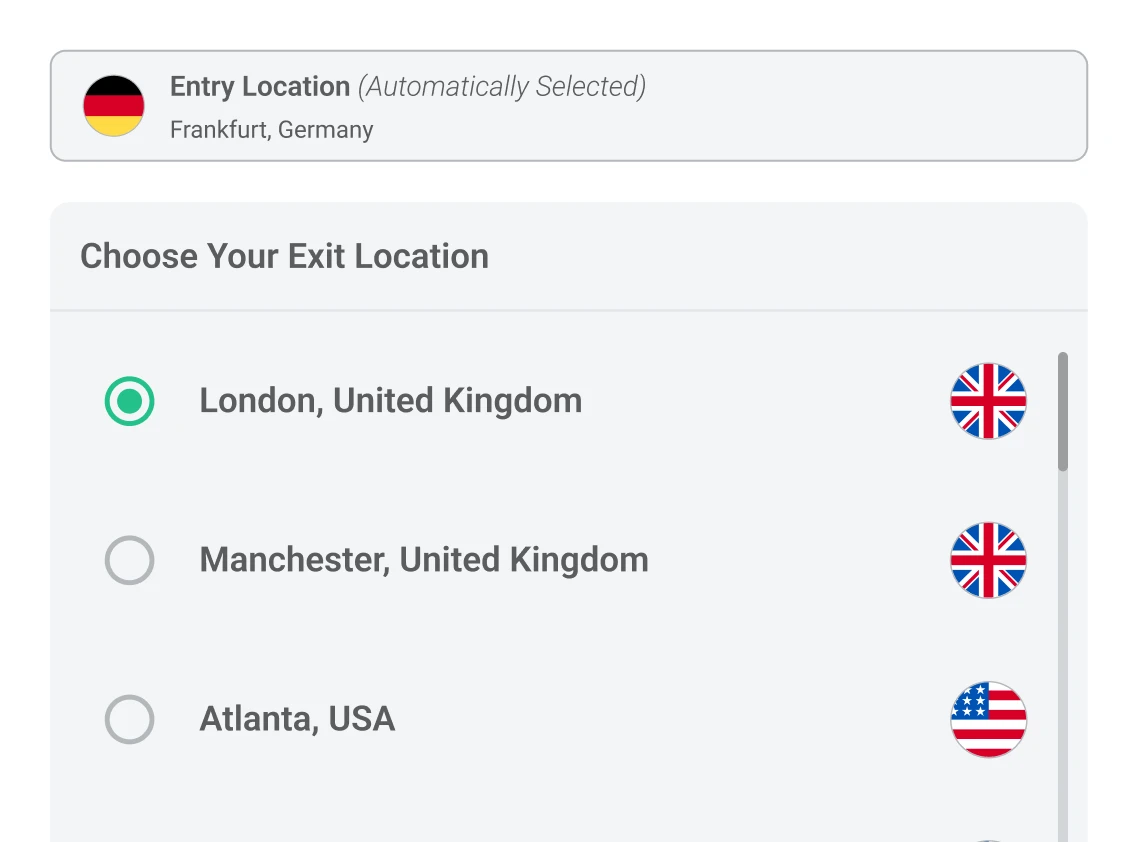
How to Enable SmartRoute
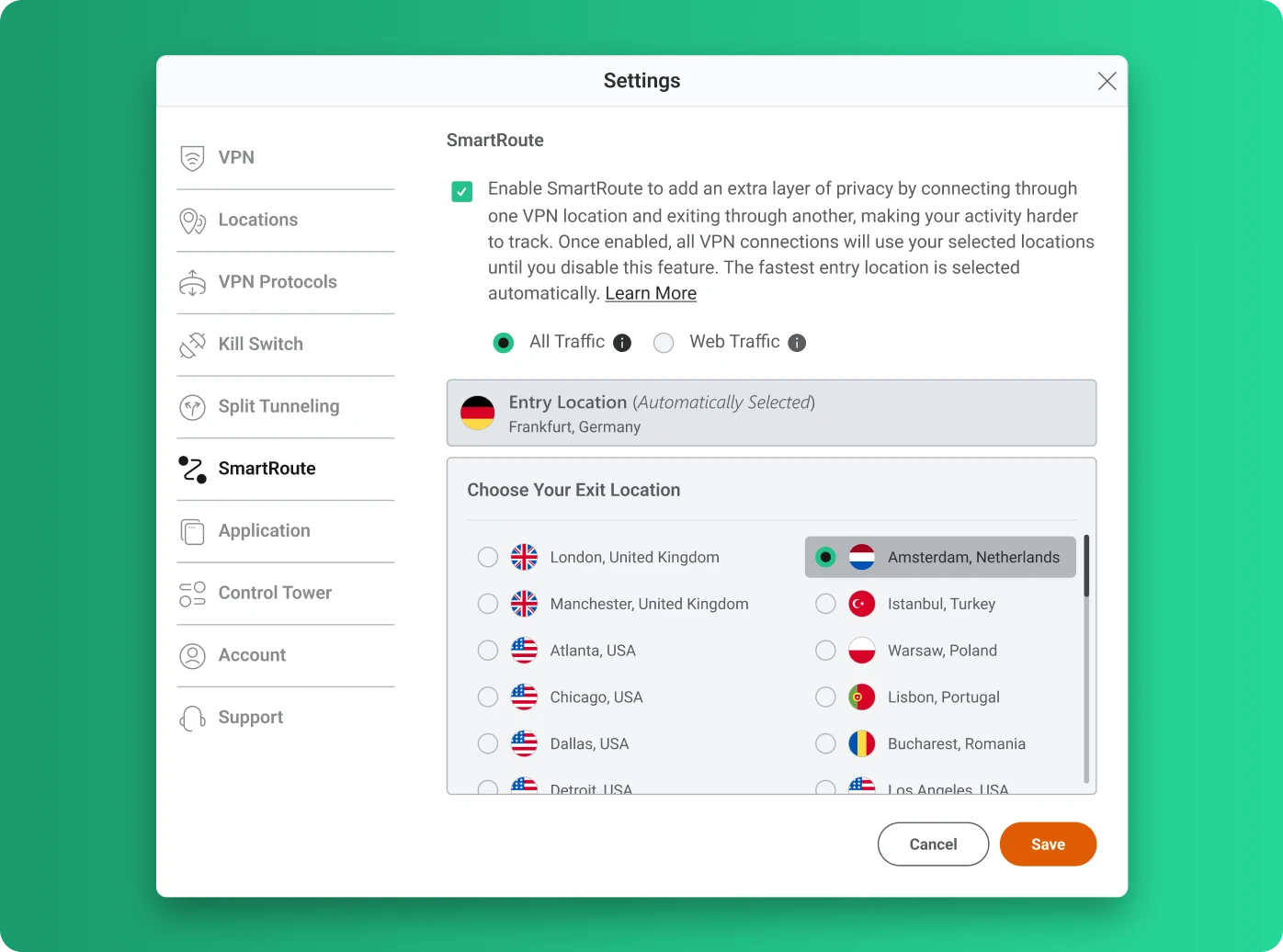
- 1 Open the PrivadoVPN application
- 2 Open the Settings menu
- 3 Select SmartRoute
- 4 Choose an exit location
- 5 Click Save and connect to the VPN
Once enabled, VPN connections use your selected exit location until you disable SmartRoute. The entry location is selected automatically.
SmartRoute and Other PrivadoVPN Features
SmartRoute works alongside several other PrivadoVPN security and privacy features to create a layered protection system.
Kill Switch
Stops Internet traffic if the VPN connection drops so your real IP address is not exposed.
Threat Prevention
Blocks trackers, malicious domains, and known harmful websites before they load.
Ad Blocker
Reduces advertising networks and tracking scripts across websites and apps.
Secure DNS
Routes DNS requests through protected DNS servers to help prevent DNS monitoring and manipulation.
Split Tunneling
Choose which apps use the VPN connection and which connect directly to the Internet.
PhantomMode
Blocks trackers and app-based network requests even when the VPN is disconnected.
Parental Controls
Filter categories of websites and manage Internet access across devices.
Cross-Device Support
PrivadoVPN supports Windows, macOS, Android, iOS, Fire TV, Android TV, and tvOS.
